- Rust 99.8%
- Nix 0.2%
 35173a732c
Some checks are pending
Binaries / package (aarch64, macos-latest, apple-darwin) (push) Waiting to run
Binaries / package (aarch64, ubuntu-latest, unknown-linux-gnu) (push) Waiting to run
Binaries / package (x86_64, macos-latest, apple-darwin) (push) Waiting to run
Binaries / package (x86_64, ubuntu-latest, unknown-linux-musl) (push) Waiting to run
Binaries / package (x86_64, windows-latest, pc-windows-msvc) (push) Waiting to run
CI / test (macos-latest) (push) Waiting to run
CI / test (ubuntu-latest) (push) Waiting to run
CI / test (windows-latest) (push) Waiting to run
CI / Flake checks ❄️ (push) Waiting to run
CI / Flake checks ❄️-1 (push) Waiting to run
|
||
|---|---|---|
| .github | ||
| docs | ||
| src | ||
| .envrc | ||
| .gitattributes | ||
| .gitignore | ||
| .rustfmt.toml | ||
| AGENTS.md | ||
| build.rs | ||
| Cargo.lock | ||
| Cargo.toml | ||
| clippy.toml | ||
| config.example.toml | ||
| CONTRIBUTING.md | ||
| flake.lock | ||
| flake.nix | ||
| iamb.desktop | ||
| LICENSE | ||
| PACKAGING.md | ||
| README.md | ||
| rust-toolchain.toml | ||






About
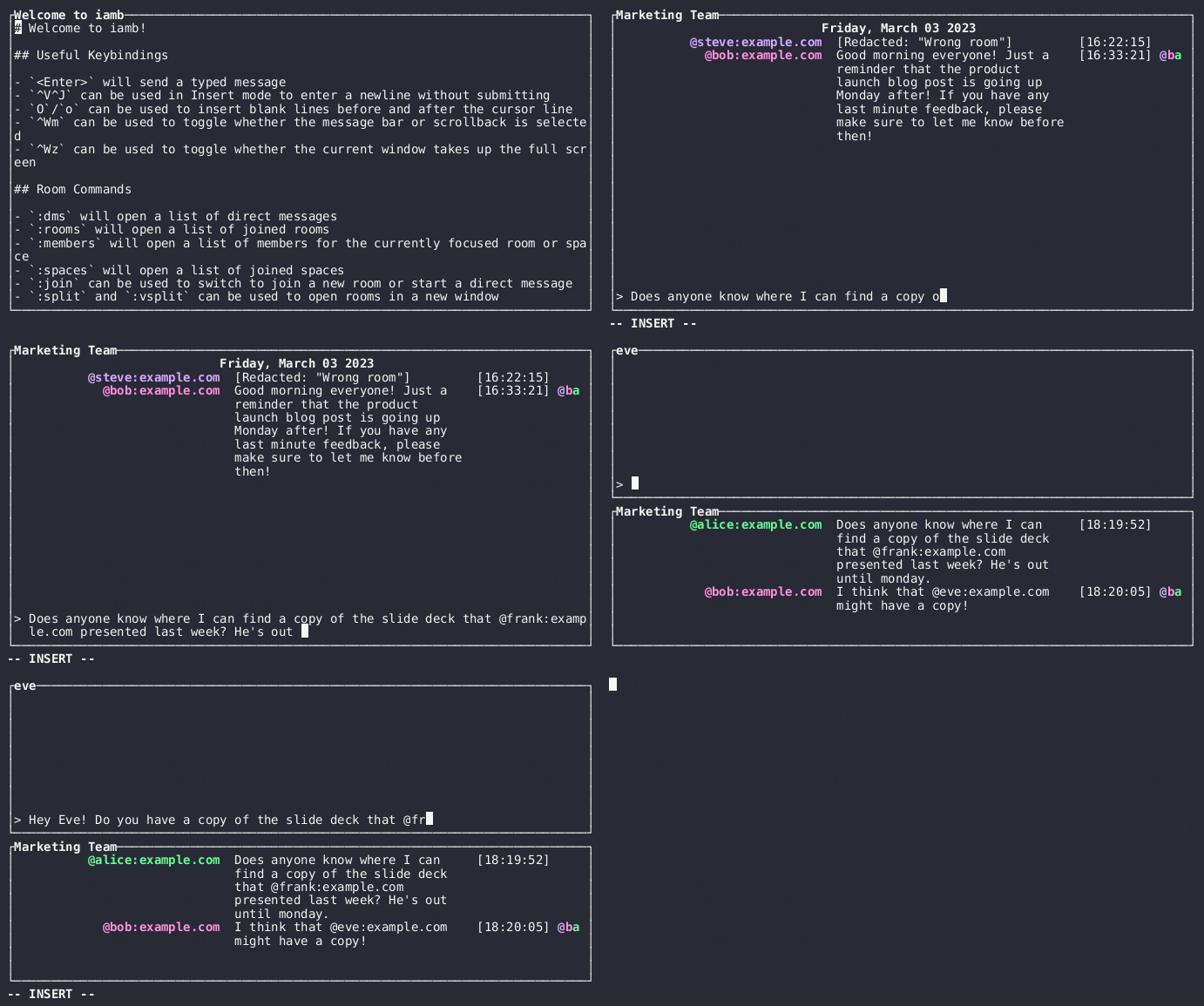
iamb is a Matrix client for the terminal that uses Vim keybindings. It includes support for:
- Threads, spaces, E2EE, and read receipts
- Image previews in terminals that support it (sixels, Kitty, and iTerm2), or using pixelated blocks for those that don't
- Notifications via terminal bell or desktop environment
- Send Markdown, HTML or plaintext messages
- Creating, joining, and leaving rooms
- Sending and accepting room invitations
- Editing, redacting, and reacting to messages
- Custom keybindings
- Multiple profiles
You may want to see this page as it was when the latest version was published.
Documentation
You can find documentation for installing, configuring, and using iamb on its website, iamb.chat.
Shared login via IPC
iamb supports reusing an interactive session's authenticated login via a default Unix domain socket. This allows command-line invocations to reuse the running interactive client's authenticated SDK instance and avoid performing a new login.
Default socket resolution
- If not overridden with --ipc-socket, iamb resolves the IPC socket path in this order:
- $XDG_RUNTIME_DIR/iamb/.sock
- $TMPDIR/iamb/.sock
- /tmp/iamb/.sock The directory containing the socket is created with permissions 0700. If an existing socket file is present but no server responds, iamb will remove the stale socket and bind the new server.
Flags
- --no-ipc: disable IPC entirely (both server and client behavior).
- --ipc-socket : override the default socket path.
Behavior
- Interactive iamb (the main UI) will, unless --no-ipc is given, attempt to create or attach to the IPC socket before logging in. If an active server is already present, the new interactive process will attach and exit with a message.
- After successful login the interactive server stores the authenticated client in shared state and listens for requests on the socket. Handlers run actions using the in-memory authenticated client (no re-login). The server serializes access to non-Send/Sync client internals, or dispatches work through an internal queue, to avoid data races.
- CLI subcommands first try to connect to the resolved socket (unless --no-ipc). If a connection succeeds they marshal the command and arguments to the server, wait for the result, and return the server's exit status. If no server is present, they continue with the normal local login flow. --ipc-socket affects both server and client resolution.
Troubleshooting
- If a command fails to connect due to permissions or a stale socket, try removing the stale socket or passing --ipc-socket to point to a custom socket.
- To disable the feature entirely, run commands with --no-ipc.
Compatibility and testing
- Protocols are versioned; mismatched clients/servers will be rejected.
- Unit tests cover socket path resolution and protocol (de)serialization. Integration tests exercise spinning up a temporary server and issuing a mock command.
Example
- Default socket (profile "default"): $XDG_RUNTIME_DIR/iamb/default.sock or /tmp/iamb/default.sock if XDG_RUNTIME_DIR is unset.
This keeps shared login simple and opt-out while preserving current local-login behavior when no daemon is present.
CLI helpers
iamb rooms <query> performs a fuzzy search across joined rooms by display name, alias, or identifier. Using . as the query lists every joined room while passing --user <USER> (repeatable) limits output to rooms where every specified user is already present. Results are emitted as tab-separated room_id / display_name pairs.
iamb invites [--picker] [--accept|--reject] [ROOM ...] lists pending invites with inviter details and lets you accept or reject them. Without flags it prints a table; --accept/--reject apply in bulk (rooms optional), and --picker opens an interactive selector that supports mixed accept/reject choices.
iamb media <events.ndjson> inspects the NDJSON event files produced by iamb-listen (or similar dumps), prints each discovered attachment's originating event ID and room ID, and shows the relative download/target path that the archiver expects.
iamb create-room provides a straightforward way to spin up a room with name/topic, directory visibility, invites, encryption, guest access, and join/history rule tweaks without dropping into the UI. Example:
iamb create-room --name "Project Workspace" --topic "Planning notes" \
  --visibility private --preset private-chat --invite @alice:example.com --invite @bob:example.com \
  --encrypted --guest-access --join-rule invite --history-visibility shared
iamb upgrade <room> upgrades the named joined room to the latest stable Matrix room version advertised by the homeserver. The command automatically restores the saved session or reuses the IPC daemon client, verifies m.room.tombstone permissions, calls /rooms/<room>/upgrade, and prints the replacement room ID so you can immediately follow the successor chain (or fall back to :upgrade follow after the tombstone is emitted). Rooms already running the preferred version simply report their current version. In the interactive UI you can run :upgrade latest (alias :upgrade current) to perform the same flow, show an in-place InfoMessage, and jump into the upgraded room while leaving the old room tombstoned so others can follow with :upgrade follow. Use :upgrade old to view the old version of an upgraded room.
The CLI flags map directly to the Matrix room creation API (preset, visibility, room_alias_name, join_rule, history_visibility, initial_state). Any of those settings can later be adjusted via iamb room-setting <room-id> (e.g., to tweak guest access, join rules, or history visibility after the room exists).
Shell completions
iamb now ships with generated completions for every flag and subcommand. Install them by generating the script and dropping it in the right directory for your shell:
- bash:
mkdir -p ~/.config/iamb && iamb --completions bash > ~/.config/iamb/iamb.bash-completion. Addsource ~/.config/iamb/iamb.bash-completionto your~/.bashrcor drop the file into/etc/bash_completion.d/if you prefer a system-wide install. - zsh:
mkdir -p ~/.config/iamb && iamb --completions zsh > ~/.config/iamb/_iamb. Ensure~/.config/iambis on yourfpath(e.g.,fpath=(~/.config/iamb $fpath)inside~/.zshrc), then runautoload -U compinit && compinit(or restart the shell) so the new completion becomes available. - fish:
mkdir -p ~/.config/fish/completions && iamb --completions fish > ~/.config/fish/completions/iamb.fish. The shell auto-loads~/.config/fish/completions/*.fish, so either restart orsource ~/.config/fish/completions/iamb.fish.
Regenerate the outputs (iamb --completions <shell>) whenever the CLI gains new flags or subcommands so completions stay in sync.
Configuration
You can create a basic configuration in $CONFIG_DIR/iamb/config.toml that looks like:
[profiles."example.com"]
user_id = "@user:example.com"
If you homeserver is located on a different domain than the server part of the
user_id and you don't have a /.well-known entry, then
you can explicitly specify the homeserver URL to use:
[profiles."example.com"]
url = "https://example.com"
user_id = "@user:example.com"
To automatically log in without interactive prompts, point password_file at a
local file containing the account password (the file is read every startup). Keep
the file permission-restricted so only the owning user can read it.
Archival utilities
iamb-listen
iamb-listen streams timeline events into an archive directory suitable for later processing and inspection. It writes per-room NDJSON event files under events/, stores downloaded attachments and cached assets under media/, and keeps bookkeeping and job metadata in meta/ (for example synced markers, postback and failed URL logs). The listener collects in-room attachments and classifies external URLs, queuing jobs to fetch external media when appropriate.
External failures are appended to meta/failed-urls.ndjson; successful downloads that should be posted back are queued in meta/postback-queue.ndjson.
Usage example:
cargo run --bin iamb-listen -- -P default --out ./archive
Custom bot commands (--command)
iamb-listen can hand off each new message to an external helper by passing --command <program> alongside the rest of the listener invocation. The listener creates a small bot workspace inside the archive root (meta/bot/) and invokes your program like this for every decoded burst:
<program> <thread_id> <archive-root>/meta/bot/prompt.ndjson \
  --attachment <archive-root>/media/<room>/<file> --attachment <archive-root>/media/<room>/<file2> ...
thread_id is a deterministic alphanumeric identifier derived from the room plus the thread root event, so your helper can keep per-thread state in sync while it receives just the latest prompt. --prompt points at meta/bot/prompt.ndjson, which is newline-delimited JSON because the listener now waits roughly 2 seconds after the first event before invoking your helper. This allows quick sequences (text after an image, multiple replies, etc.) to be bundled into one invocation. The shape of each entry is the same as before:
You can also pass --exclude-room <room_id> (repeatable) to keep specific rooms out of the listener and any bot invocations; persist the same list via archive.listener.excluded_rooms in your profile when you need the exclusion to survive across runs. Use --accept-invite-whitelist/--accept-invite-blacklist together with the archive.listener.invites.whitelist/archive.listener.invites.blacklist config arrays to teach the listener which invites should be accepted (room IDs and display names are matched against the supplied regexes).
{
  "room_id": "!room:example.com",
  "event_id": "$event:example.com",
  "sender": "@alice:example.com",
  "type": "m.room.message",
  "origin_server_ts": 1700000000000,
  "thread_root": "$thread:example.com",
  "content": {
    "msgtype": "m.text",
    "body": "Hello world"
  }
}
thread_root now always contains the root event that the conversation is happening in (it is only null for the very first message, which also becomes the thread root). The history files live under meta/bot/history and are named after the room and the percent-encoded thread root (<room>__main.ndjson vs <room>__thread__<event>.ndjson). Each history file is newline-delimited JSON that mixes previous incoming events and the replies that the helper already sent; the listener keeps that file trimmed to the most recent 512 lines so you can treat it as a rolling conversational context.
When a Matrix attachment is part of the batch, the helper receives one --attachment argument for each downloaded file (e.g. media/<room>/<file>). Any caption on that attachment already appears in the matching JSON entry's content.body; if there is no caption, the JSON line may be empty while the file is still supplied via --attachment. Your helper should parse every line in --prompt (it can contain multiple events) and inspect every --attachment path it receives, then write the text that should be sent back. Empty stdout or a non-zero exit code suppresses a reply, so send logs and diagnostics to stderr.
The snippet below illustrates a tiny standalone helper that reads the NDJSON prompt, enumerates the rolling history, reports the attachment paths, and prints a brief summary. It does not need to depend on the rest of iamb and can live in its own crate.
use clap::Parser;
use serde::Deserialize;
use std::{fs, path::PathBuf};

#[derive(Parser)]
struct Args {
    #[arg(long)]
    prompt: PathBuf,
    #[arg(long)]
    history: PathBuf,
    #[arg(long)]
    attachments: Vec<PathBuf>,
}

#[derive(Deserialize)]
struct EventContent {
    msgtype: String,
    body: String,
}

#[derive(Deserialize)]
struct EventLine {
    room_id: String,
    event_id: String,
    sender: String,
    #[serde(rename = "type")]
    kind: String,
    origin_server_ts: u64,
    thread_root: Option<String>,
    content: EventContent,
}

fn read_history(path: &PathBuf) -> Vec<EventLine> {
    fs::read_to_string(path)
        .ok()
        .into_iter()
        .flat_map(|text| text.lines().map(|line| serde_json::from_str(line)))
        .filter_map(Result::ok)
        .collect()
}

fn read_prompt(path: &PathBuf) -> Vec<EventLine> {
    fs::read_to_string(path)
        .ok()
        .into_iter()
        .flat_map(|text| text.lines().map(|line| serde_json::from_str(line)))
        .filter_map(Result::ok)
        .collect()
}

fn summarize_prompt(lines: &[EventLine]) -> String {
    if lines.is_empty() {
        "no recent events".to_string()
    } else {
        lines
            .iter()
            .map(|entry| format!("{}: {}", entry.sender, entry.content.body.trim()))
            .collect::<Vec<_>>()
            .join(" ⇢ ")
    }
}

fn main() -> Result<(), Box<dyn std::error::Error>> {
    let args = Args::parse();
    let prompt = read_prompt(&args.prompt);
    let history = read_history(&args.history);
    let summary = summarize_prompt(&prompt);
    let attachments = args
        .attachments
        .iter()
        .map(|path| path.display().to_string())
        .collect::<Vec<_>>()
        .join(", ");
    println!(
        "Prompt {} entries · history {} entries · attachments [{}]\nSummary: {}",
        prompt.len(),
        history.len(),
        attachments,
        summary
    );
    Ok(())
}
Build this helper with cargo build --bin bot (or your preferred toolchain) and pass the resulting binary to iamb-listen --command. Every time the listener encounters a fresh burst, the helper sees the NDJSON prompt, can reuse the rolling history for context, and prints whatever text should be sent back.
iamb-archive
iamb-archive converts or bundles an existing event log into final artefacts such as HTML/Markdown exports or static copies. It consumes the files produced by iamb-listen (notably the events/, media/, and meta/ hierarchies), and will read postback queue entries or hooks if present so cached external assets can be included or referenced in the generated outputs.
Handling encrypted events
If iamb-archive encounters events it still cannot decrypt after a handful of retries, it now stops with an error, lists the affected rooms, and records each event ID under meta/undecryptable.txt. The undecryptable ledger is maintained automatically by the tools: entries will be added when events cannot be decrypted and will be removed automatically once keys become available.
To unblock the run you can:
- Export keys from another verified client (
iamb-keys export /path/to/keys mypass), copy the file, and import them on the archive machine (iamb-keys import /path/to/keys mypass). - Re-run
iamb-archiveonce the keys are present. - If the room or event should be skipped, prefer using the user-maintained ignore list in
meta/ignored-events.txt. This file accepts one event ID per line and may optionally include the room id and/or a friendly label after the event id, for example:
$EVENTID                       # just the event
$EVENTID !roomid:example.com   # event + room
$EVENTID !roomid:example.com A friendly name
If you instead want to ignore an entire room, add it to meta/ignored-rooms.txt.
Notes:
meta/undecryptable.txtis managed by the archiver/listener and should not be edited by hand except for advanced use cases. The tools will remove entries frommeta/undecryptable.txtonce the missing keys are available and events can be decrypted.- Events explicitly listed in
meta/ignored-events.txtwill remain skipped even after keys are imported; use the ignored-events list to permanently suppress specific events from processing.
The live listener (iamb-listen) never blocks on encrypted events, but it warns in the log and appends each unresolved event to the same meta/undecryptable.txt file so you know which rooms still need attention.
Decryption diagnostics
Pass the global --log-decrypt-errors flag when running the interactive UI or any CLI command that receives messages (the default launcher, iamb-archive, iamb-listen, and iamb-unreads). When enabled, every event the client still cannot decrypt is appended as a newline-delimited JSON record to ~/.local/share/iamb/profiles/<profile>/encryption-errors.log. Each entry captures the room/event identifiers, sender, encryption metadata (algorithm/session_id/sender_key/device_id/withheld), the stage at which it was observed, and the full raw payload so you can investigate missing keys or bridging issues.
Retention cleanup (iamb delete)
iamb delete executes explicitly configured retention/cleanup policies from your profile's delete section. It does not create new policies from CLI flags — the flags only select which pre-defined policies to apply or temporarily override specific policy fields for that run.
How policy resolution works
- The effective policy for a given room and store is resolved in this order (later items override earlier ones):
- Global store defaults:
delete.stores.<Store>(lowest precedence) - Named room sets:
delete.room_sets.<Name>(applied in deterministic order) - Per-room overrides:
delete.rooms."<room_id>" - Top-level explicit excludes:
delete.exclude_rooms(these opt rooms out of global store defaults)
- Global store defaults:
- There are two common store kinds:
remote— operations that redact events on the homeserver (SDK redactions).archive— operations that edit the local on-disk archive (events NDJSON and local media files).
- If a policy requires archive presence (
require_archive_presence), the archive index (theevents/files) is consulted to decide whether a remote deletion should be applied to a particular event.
Minimal example configuration
[delete]
allow_cli = true
default_rooms = ["!cleanup:matrix.org"]

# Global remote (server-side) policy
[delete.stores.remote]
enabled = true
include_media = true        # include non-message media events as candidates
skip_peer_events = true     # only affect messages sent by the profile user
older_than = "30d"         # target events older than 30 days

# Global archive (local) policy — operate on the archive files & media
[delete.stores.archive]
enabled = true
include_media = true
older_than = "30d"
Both remote and archive can be configured independently; per-room overrides are used when you need a different retention rule for a particular room.
Practical scenarios and configuration hints
- Cleaning old data from the server
- Goal: redact messages older than N days from the remote homeserver.
- Config: set
delete.stores.remote.enabled = trueandolder_than = "30d"(or desired window). - Run: iamb -P profile delete --remote --dry-run
- Once satisfied, re-run without --dry-run to perform remote redactions.
- Purging something you didn’t want saved anywhere (remote + archive)
- Goal: remove events both from the server and your local archive.
- Config: enable and tune both stores (archive + remote) with matching
older_thanandinclude_mediaas needed. - Run: iamb -P profile delete --remote --archive --dry-run
- Confirm and re-run without --dry-run to redact remotely and prune local NDJSON + media files.
- Configuring disappearing messages for a room
- Goal: make a room automatically cleaned up after a time window.
- Config: add a per-room entry under
delete.rooms."<room_id>".stores.<Store>and setolder_thanandenabled = true. Optionally setleave_empty_roomsif you want the client to leave/forget empty rooms. - Use
delete.room_setsto apply the same disappearing rule to many rooms.
- Automating periodic cleanup (cron)
- Put a safe cron job that runs with
--dry-runfirst when testing, then without once validated. - Example cron invocation (monthly run):
- 0 3 1 * * /usr/bin/iamb -P myprofile delete --archive --remote --dry-run >> /var/log/iamb-delete.log 2>&1
- After validating outputs, remove
--dry-run.
- Fully purging a room (include leave + media removal)
- Goal: remove archived events, delete associated media files, optionally leave the room when empty.
- Config: per-room
delete.rooms."<room_id>".stores.archivewithenabled = true,include_media = true, andleave_empty_rooms = true. - Run: iamb -P profile delete --archive --dry-run (inspect) then re-run without --dry-run.
Important operational notes
-
CLI flags like
--older-thanand--mediatemporarily override policy fields for that invocation only; they do not create or persist a policy. To make changes persistent, edit your config. -
Start with
--dry-runevery time and inspect results carefully. -
Inspect resolved policies before running destructive operations: iamb -P profile config current --format toml This prints the resolved configuration (including merged defaults/overrides) so you can confirm what will be applied.
-
If you rely on
archivechecks (require_archive_presenceorarchive_before) ensure the archive root exists and is readable by the process that runsiamb delete. -
Faster defaults are always active; the archiver keeps
meta/room-sync.jsonup to date with the last archived event per room and skips rooms whose remote history has not advanced since the previous run. Useiamb-archive --full(or delete that metadata file) to force a complete rescan if you suspect new events were missed, then tunearchive.archiver.fetch_limit,archive.archiver.message_fetch_retry_delay_secs,archive.archiver.message_fetch_timeout_secs,archive.listener.heartbeat_interval_secs,archive.listener.idle_sleep_millis, and thearchive.archiver.*/archive.listener.*external rate-limit entries when you need more conservative pacing. See docs/notes/archiver.md for guidance. -
Keep rooms out of the listener by configuring
archive.listener.excluded_roomsin your profile; the same list can be supplied temporarily using--exclude-roomon the CLI. You can also usearchive.listener.invites.whitelist/archive.listener.invites.blacklist(or the CLI equivalents) to control which invites are automatically accepted.
Sender and homeserver-aware cleanups
You can layer the --sender, --homeserver, and --homeserver-other flags on your remote policy runs to only target specific users or domains. Keep named room sets handy so you can easily point a cleanup at public rooms, encrypted rooms, or other slices of your archive.
[delete.room_sets.public]
rooms = ["!public1:example.com", "!public2:example.com"]

[delete.room_sets.unencrypted]
rooms = ["!open1:example.com", "!open2:example.com"]

[delete.room_sets.encrypted]
rooms = ["!secret1:example.com", "!secret2:example.com"]
-
Redact only your own messages in the public room set between 3 and 12 months old:
iamb -P public delete --remote --sender @microchipster:underzsea.com --older-than "90d" --newer-than "365d"
--room !public1:example.com --room !public2:example.com --dry-run
2. Target non-encrypted rooms only when removing your own activity from the last 30–90 days:

```bash
iamb -P public delete --remote --sender @microchipster:underzsea.com --older-than "30d" --newer-than "90d" \
--room !open1:example.com --room !open2:example.com --dry-run
-
Repeat the same clean-up for encrypted rooms that match your
delete.room_sets.encryptedlist:
iamb -P public delete --remote --sender @microchipster:underzsea.com --older-than "30d" --newer-than "90d"
--room !secret1:example.com --room !secret2:example.com --dry-run
4. Redact every event originating from a specific home server (or servers) regardless of the sender:

```bash
iamb -P public delete --remote --homeserver matrix.org --homeserver example.org --older-than "180d" --newer-than "720d" --dry-run
-
Clean up content from homeservers that are not your own (useful when bridging or roaming):
iamb -P public delete --remote --homeserver-other --older-than "90d" --newer-than "365d" --dry-run
These combinations give you the expressive filter power to redact messages by sender, room type, or server while still respecting your configured retention policies.

### mentions

By default, `@all` and `@channel` will send mentions to every member of the room (@room is specially handled by some clients so it is skipped). To opt out, set:

```toml
[tunables]
expand_everyone_mentions = false
iamb-verify
iamb-verify logs in and runs the verification flow on the command line in isolation to initialize a profile.
reset-secure-backup
Reset secret storage + key backup for a profile and generate a fresh recovery passphrase and recovery key (matching the Matrix SDK recovery module guidance). This is intended for first-login bootstrap on a trusted device.
iamb -P profilename reset-secure-backup
What it does
- Restores the session if available; otherwise prompts for password or SSO, then performs an initial sync so encryption state is current.
- Checks existing recovery status and refuses to overwrite unless
--forceis provided. - Generates a high-entropy passphrase (you can supply
--passphrase <value>), prompts you to retype it unless--yesis set, then enables secure backup via the SDK’srecovery.enable().wait_for_backups_to_upload()flow. - Prints both the recovery key and passphrase; store them immediately in a password manager or secure medium—losing them can permanently lock you out of encrypted history.
Flags
--passphrase <string>— supply your own passphrase instead of auto-generating one.--force— recreate recovery even if already enabled.--yes— skip the confirmation prompt (non-interactive / automation).--password <pw>,--sso— optional login inputs, same asiamb-verify.
Hooks, postback, and media configuration
External media jobs are classified and processed according to the MediaHandling configuration in your config.toml. Two related configuration areas control behavior:
-
media.hooks— fine-grained enable/disable and include/exclude pattern rules for each handler, either globally (media.hooks.default) or per-room (media.hooks.rooms). Rules are simple substring matches: anincludelist requires a substring to appear, andexcludeprevents matches containing a substring. Rules also have anenabledflag to turn handlers on/off for matching URLs. -
media.post_back— controls which fetched assets should be queued for postback. Legacy list-style options (defaultandrooms) continue to work, but you can now specifydefault_rulesandroom_rulesto apply the same pattern-based controls used bymedia.hooks.
A minimal example config.toml excerpt that demonstrates enabling the single-file browser, restricting yt-dlp globally to example.com links, and enabling postback only for a special room:
[media]
single_file_browser = "/usr/bin/chromium"

# Hook rules: enable yt-dlp only when the URL contains "example.com"
[media.hooks.default]
# Handler keys map to MediaHandlingKind names (Direct, YtDlp, SingleFile, MatrixAttachment)
YtDlp = { enabled = true, include = ["example.com"], exclude = [] }
Direct = { enabled = true }

# Postback: legacy list is still supported, but you can use rule-based controls
[media.post_back]
default = [] # no legacy global postback

# Enable postback for yt-dlp only in a specific room via room_rules
[media.post_back.room_rules."!special:example.com".YtDlp]
enabled = true
include = []
exclude = []
Note: enabling the optional Cargo feature yt-dlp-python allows iamb to query yt-dlp's Python extractors at runtime to determine whether yt-dlp can handle particular URLs. This can improve handler classification for many streaming or platform URLs. Enable it by building with --features "yt-dlp-python".
Command prefixes in messages (for example !yt-dlp ...) can still be used to force YtDlp handling for a URL. Fetched assets now land under the canonical per-room media directory media/<sanitized-room>/, with filenames that include the handler label (for example 2024-01-01@12:00:00__alice__yt-dlp__some-title.mp4). Hook scripts or automation can consume meta/postback-queue.ndjson to act on queued items (for example sending follow-up messages that include cached assets).
Non-interactive workflow
# setup
mkdir -p ~/.config/iamb
vim ~/.config/iamb/config.toml

# verify the profile interactively once
iamb-verify -P profilename

# archive everything once
iamb-archive --verbose -P profilename --out ~/.local/share/iamb-archive/profilename

# archive everything using the last archive as a cursor to speed it up
iamb-archive --verbose -P profilename --out ~/.local/share/iamb-archive/profilename --continue

# listen only for new messages (won’t look back in time)
iamb-listen --verbose -P profilename --out ~/.local/share/iamb-archive/profilename

# listen only for new messages in two rooms, automatically accept invites from trusted spaces, and act like a bot
iamb-listen --verbose --leave-empty-rooms --accept-invites --accept-invite-whitelist '^!ops:example.org' --accept-invite-blacklist '^!spam:example.org' -P profilename --out ~/.local/share/iamb-archive/profilename --room <room-id0> --room <room-id1>
Installation (from source)
Install Rust and Cargo using rustup, and then run from the directory containing the sources (ie: from a git clone):
cargo install --locked --path .
Installation (via crates.io)
Install Rust (1.83.0 or above) and Cargo, and then run:
cargo install --locked iamb
See Configuration for getting a profile set up.
Installation (via package managers)
Arch Linux
On Arch Linux a package is available in the Arch User Repositories (AUR). To install it simply run with your favorite AUR helper:
paru iamb-git
FreeBSD
On FreeBSD a package is available from the official repositories. To install it simply run:
pkg install iamb
Gentoo
On Gentoo, an ebuild is available from the community-managed GURU overlay.
You can enable the GURU overlay with:
eselect repository enable guru
emerge --sync guru
And then install iamb with:
emerge --ask iamb
macOS
On macOS a package is available in Homebrew's repository. To install it simply run:
brew install iamb
NetBSD
On NetBSD a package is available from the official repositories. To install it simply run:
pkgin install iamb
Nix / NixOS (flake)
nix profile install "github:ulyssa/iamb"
openSUSE Tumbleweed
On openSUSE Tumbleweed a package is available from the official repositories. To install it simply run:
zypper install iamb
Snap
A snap for Linux distributions which support the packaging system.
snap install iamb
License
iamb is released under the Apache License, Version 2.0.